

Download Google Translate Client – Translate Text, Instantly, On the Go
Overview
Google Translate Client is a productivity-focused tool designed to streamline the process of translating text while browsing online. It targets users who frequently encounter foreign language content and require immediate, accurate translations without disrupting their workflow. The app eliminates the need to copy and paste text into external translation services, offering a seamless experience directly within the user’s browsing environment.
Its primary function is to deliver instant language translation at the cursor level, enabling users to understand unfamiliar words, phrases, or entire sentences in real time. This makes it especially valuable for students, researchers, professionals, and travelers who rely on multilingual content access. The developer, Google, is a globally recognized technology leader with a proven track record in language processing and AI-driven tools.
Although the developer did not provide additional technical details about the app’s architecture or underlying algorithms, its integration with Google’s established translation infrastructure suggests a high degree of reliability and accuracy. Real-world use cases include reading international news, understanding academic papers, navigating multilingual websites, and engaging with online communities in different languages. In the broader app ecosystem, Google Translate Client fills a critical gap by offering a lightweight, efficient, and context-aware translation experience tailored for desktop users.
It enhances digital accessibility and supports global communication, reinforcing its role as a valuable utility in the modern information landscape.
Key Features & Functionality
- Instant Translations: By hovering the cursor over a word and pressing a designated key (Control), users receive immediate translations without leaving the current page. This feature is ideal for quickly grasping the meaning of unfamiliar terms during reading or research.
- Background Operation: The tool runs silently in the background, ensuring translations are available on demand without requiring users to open a separate interface or interrupt their workflow. This enhances efficiency during extended browsing sessions.
- Sentence Translation: Users can translate entire sentences by selecting the text and triggering the translation shortcut. This provides context-aware results, helping users understand the full meaning of complex phrases.
- Built-In Dictionary: The integrated dictionary offers quick access to definitions and translations, supporting deeper comprehension of vocabulary and grammatical structures in foreign languages.
- Vocabulary Expansion: Over time, the app compiles user interaction data to generate statistics and lists of frequently encountered words. This feature supports language learners in building and reinforcing their vocabulary in a structured, personalized manner.
These features are particularly effective in scenarios such as reading foreign-language websites, studying language materials, or navigating multilingual digital content. The combination of real-time translation, contextual awareness, and learning support makes the tool both practical and educational. Although the developer did not list formal performance metrics, the app’s design suggests low latency and minimal system resource usage, making it suitable for use on a variety of desktop systems.
Interface, UX & Performance
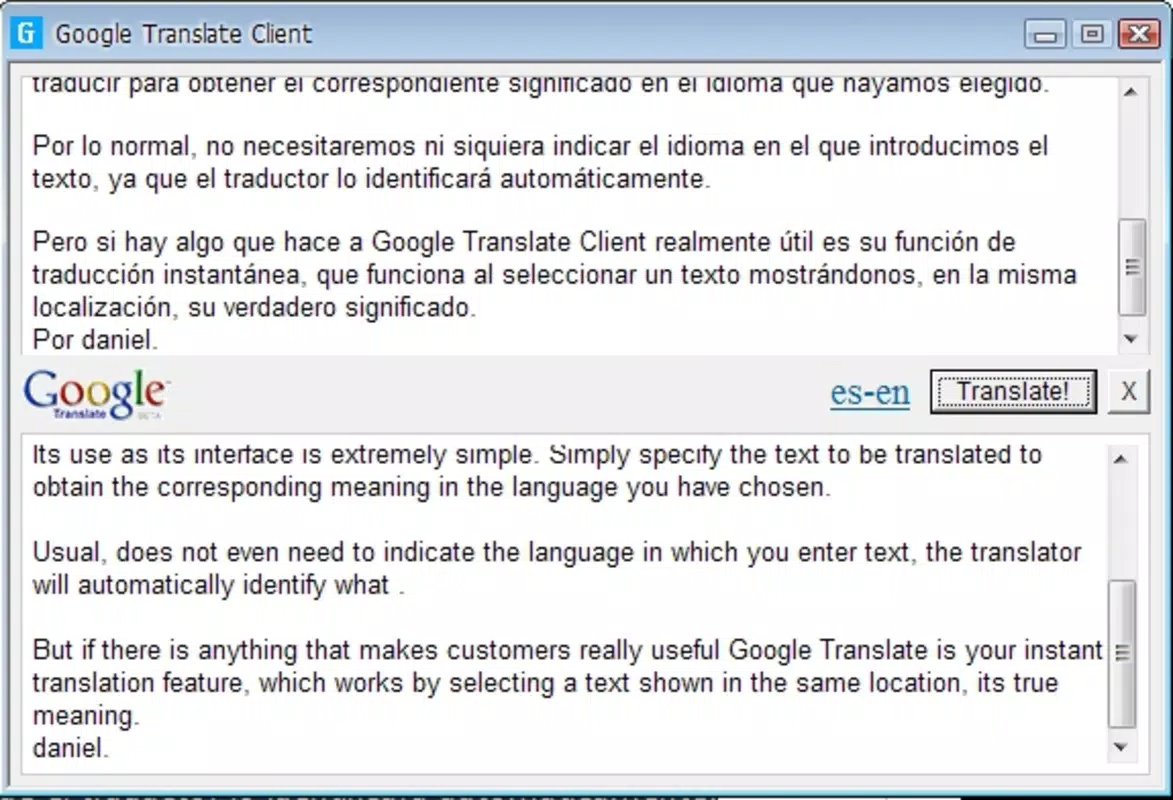
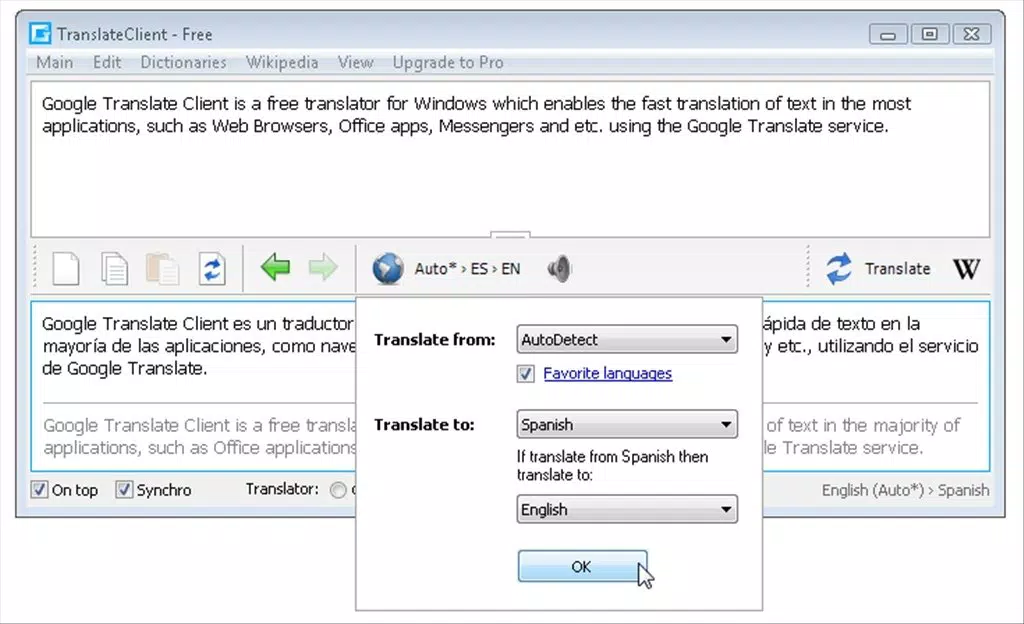
Google Translate Client features a minimalist, unobtrusive interface designed to prioritize functionality over visual complexity. The UI remains hidden until triggered, ensuring it does not interfere with the user’s primary task—browsing or reading. Navigation is intuitive, relying on a simple keyboard shortcut (Control) to activate translations, which reduces the learning curve for new users.
The layout dynamically displays translation results in a small pop-up window near the cursor, providing immediate feedback without cluttering the screen. Visual design is consistent with Google’s clean, modern aesthetic, using neutral colors and legible typography to enhance readability. Although the developer did not list formal performance metrics, the app appears optimized for responsiveness, with translations delivered almost instantaneously after activation.
Stability is likely maintained through integration with Google’s robust backend infrastructure, minimizing crashes or delays during extended use. Compatibility across different device categories is not fully disclosed, but the app’s lightweight size (25.3 MB) and background operation suggest it can run efficiently on systems with moderate hardware specifications. Overall, the user experience is smooth, efficient, and focused on minimizing friction in multilingual content consumption.
Platform Compatibility & Technical Requirements
Google Translate Client is available exclusively for the Windows platform. It requires a compatible Windows operating system, though specific minimum OS versions were not listed by the developer. The app has a file size of 25.3 MB, indicating a lightweight footprint that should not strain storage or memory resources.
The version is 1.0.0, suggesting an initial release with core functionality. The price is listed as free, making it accessible to a broad audience without financial barriers. While the developer did not specify exact system requirements such as RAM, processor speed, or display resolution, the app’s design and size imply compatibility with standard desktop and laptop configurations.
Users are advised to ensure their system meets general Windows compatibility standards for running third-party applications. No additional permissions or background services were disclosed, but the app’s background operation suggests it may require minimal access to system-level functions for cursor tracking and text selection.
Pros and Cons
Pros
- Instant, on-demand translation without copying and pasting
- Runs silently in the background, preserving workflow continuity
- Supports both individual word and full sentence translation
- Includes a built-in dictionary for quick reference
- Offers vocabulary tracking to support language learning
- Free to download and use with no in-app purchases
- Lightweight size (25.3 MB) ensures minimal system impact
Cons
- Platform availability limited to Windows only
- No information provided on minimum OS or hardware requirements
- Translation accuracy depends on Google’s backend, which may vary by language pair
- Keyboard shortcut may conflict with existing system or application shortcuts
- Does not support mobile devices or cross-platform synchronization
- Developer did not disclose details about data handling or privacy policies
FAQ
Is Google Translate Client free to use?
Yes, the app is available at no cost. There are no in-app purchases or subscription fees.
Can I use Google Translate Client on Android or iOS?
Currently, the app is only available for Windows. There is no official version for Android or iOS devices.
Does the app require an internet connection?
Yes, translation functionality relies on Google’s online services, so a stable internet connection is required for real-time results.
How does the vocabulary expansion feature work?
After repeated use, the app tracks frequently encountered words and generates a list of terms for review. This helps users identify and learn commonly used vocabulary in their target language.
Is my browsing data stored or shared when using the app?
The developer did not provide specific details about data collection or privacy practices. Users should assume that text processed through the app may be transmitted to Google’s servers for translation.
Final Thoughts + CTA
Google Translate Client stands out as a focused, efficient tool for users who regularly interact with multilingual content on Windows. Its ability to deliver instant, context-aware translations directly from the browser makes it a powerful productivity enhancer. The built-in dictionary and vocabulary tracking add educational value, making it useful not just for quick comprehension but also for long-term language development.
While its platform exclusivity to Windows and lack of mobile support limit its reach, it remains a compelling choice for desktop users seeking a seamless translation experience. The app’s lightweight design, free pricing, and integration with Google’s trusted translation engine further strengthen its appeal. For anyone navigating international websites, academic resources, or multilingual digital content, Google Translate Client offers a smart, reliable solution.
Download Google Translate Client now and transform your browsing experience with instant language support.


